

Your data belongs to you. TeachersFlow lets you export everything at any time and delete your account whenever you choose. Here's exactly how both work.
Exporting Your Data
Full Data Export
Every user — free or paid — can export their complete data set at any time.
- Go to Settings → Security
- Find the Export Data section
- Click Export Data
- A file downloads with all your information
The export includes:
| Data | Details |
|---|---|
| Profile | Name, language, currency, timezone, registration date |
| Students | Names, notes, balances, lesson prices, payment type, archive status |
| Groups | Names, lesson prices, archive status |
| Lessons | Date, time, student/group, price, status, paid flag, notes |
| Payments | Student, amount, lesson count, status, source, dates |
| Schedule | Weekly recurring slots with day, time, and duration |
| Balance History | Every balance change: amount, reason, description |
This is your complete dataset — everything you've ever entered into TeachersFlow, in a structured, machine-readable format.
Business Reports (CSV & PDF)
In addition to the full data export, you can generate an income report — your earnings over a selected period. For more on the analytics behind these reports, see Revenue Analytics in TeachersFlow.
Additional report types (payments, balances) are planned for future updates.
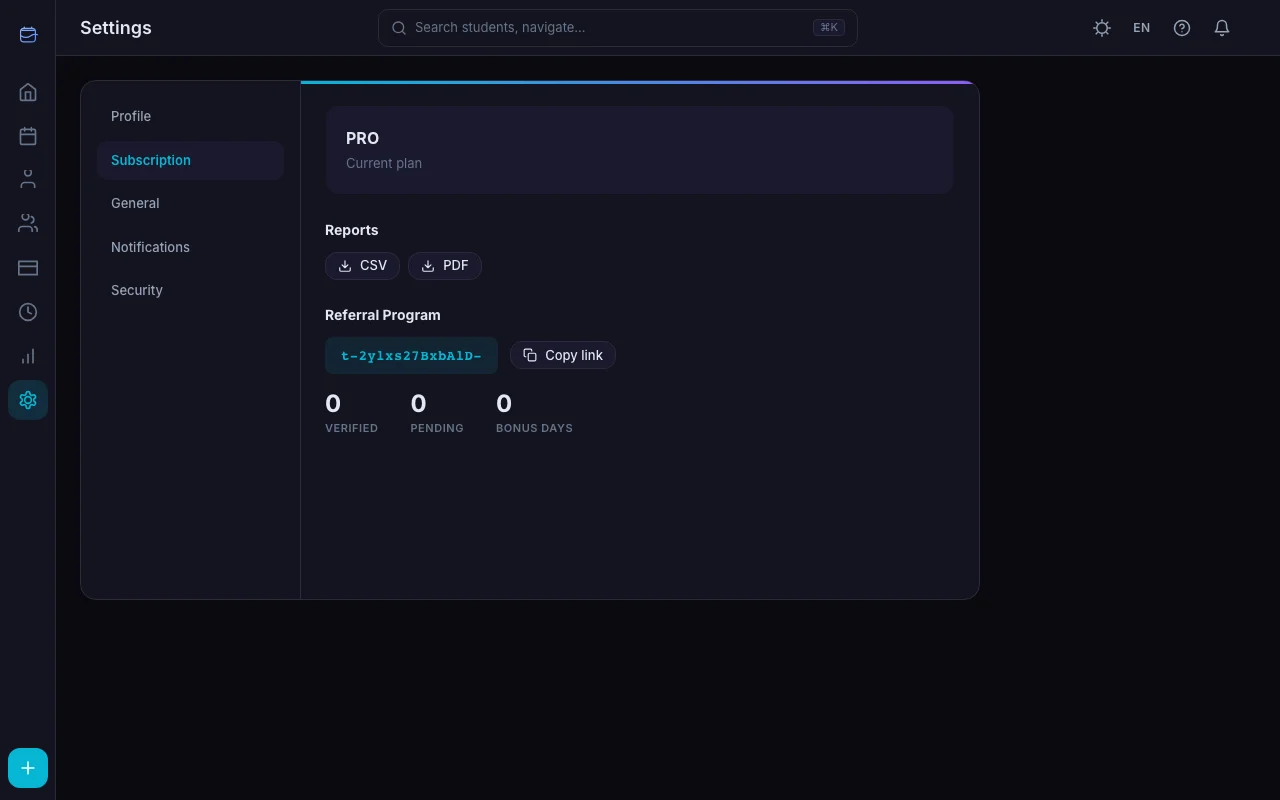
Reports are available in two formats:
| Format | Required Plan |
|---|---|
| CSV | Starter or Pro |
| Pro only |
Find these under Settings → Subscription → Reports.
PDF reports are professionally formatted (A4, branded) with full Unicode support including Cyrillic characters.
Deleting Your Account
Account deletion is permanent and irreversible. Here's what you need to know before proceeding.
What Gets Deleted
Everything. When you delete your account, the following data is permanently removed:
- Your profile and login credentials
- All students and their data
- All groups
- All lessons (past and future)
- All payments and balance history
- All schedule slots
- All notifications
- All analytics data
- Subscription and payment history
Self-recovery is not possible after deletion. Your data is retained as a backup for 14 days, after which it is permanently erased. If you change your mind, contact support within this window.
How to Delete Your Account
- Go to Settings → Security
- Scroll to the Danger Zone section
- Click Delete Account (red button)
- A confirmation dialog asks: "Are you sure? This action cannot be undone. All your data will be permanently deleted."
- Confirm the deletion
- You're automatically logged out
Before You Delete
We recommend:
- Export your data first. Use the Export Data button to download everything before deleting. Once the account is gone, there's no way to retrieve your information
- Cancel your subscription. If you have an active paid subscription, cancel it in Settings → Subscription before deleting — see How to Subscribe to TeachersFlow Pro. While deletion will terminate access, canceling first ensures clean billing
- Inform your students. If students have connected accounts via invite links, they'll lose access to their portal with you. Let them know in advance
What Happens to Connected Students
If students have accepted invite links and connected their accounts to yours:
- The link between their account and your student record is removed
- Their TeachersFlow account continues to exist (if they have one)
- They simply no longer see you as their teacher
Your students' own accounts are not affected by your deletion.
Inactive Account Cleanup
TeachersFlow automatically cleans up accounts that: - Have been inactive for 180 days or more - Have no students added (empty accounts only)
This only affects unused registrations — never active teaching accounts with student data.
Data Privacy Summary
| Details | |
|---|---|
| Export | Full data export available to all users, anytime |
| Deletion | Account is deleted immediately, access is revoked |
| Retention after deletion | 14-day backup, then permanently erased |
| Inactive cleanup | 180 days for empty accounts only |
| Business reports | CSV (Starter+), PDF (Pro) |
| Payment data | TeachersFlow doesn't store card details — Paddle handles all payment processing |
Your Data, Your Choice
TeachersFlow gives you full control over your data. Export everything, delete anytime, no questions asked. Start with a 14-day free trial — and know that your data is always yours.