
Tracking payments lesson by lesson is one of those tasks that feels small but eats hours every month. Auto-charge eliminates it — when a lesson completes, TeachersFlow automatically deducts its cost from the student's balance.
No invoices. No chasing. No forgetting.
The Core Idea
TeachersFlow supports multiple payment models for each student:
- Prepaid — student pays upfront, balance is deducted after each lesson
- Postpaid — lessons happen, debt accumulates, student pays later
Auto-charge works with either model: when a lesson completes, its cost is automatically deducted from the balance. With prepaid, the balance decreases from positive; with postpaid, it goes negative, forming a debt.
How It Works Step by Step
Here's the exact sequence when a recurring lesson's time arrives:
- Planned lesson time passes → the system marks it as Completed
- Auto-charge checks if it's enabled for this student
- Lesson price is determined — from the student's individual price (or the group's price for group lessons)
- Balance is deducted — the student's balance decreases by the lesson price
- A balance history entry is created — type: "Lesson", with the amount and date
- If balance goes negative — you receive a low balance notification, and the student gets a payment request
All of this happens without you lifting a finger. For the broader payment workflow, see How to Track Payments in TeachersFlow.
Enabling Auto-Charge
Auto-charge is a per-student setting:
- Go to Students → open a student
- Find the Auto-charge toggle
- Enable it
That's it. From now on, every completed lesson will deduct from this student's balance.
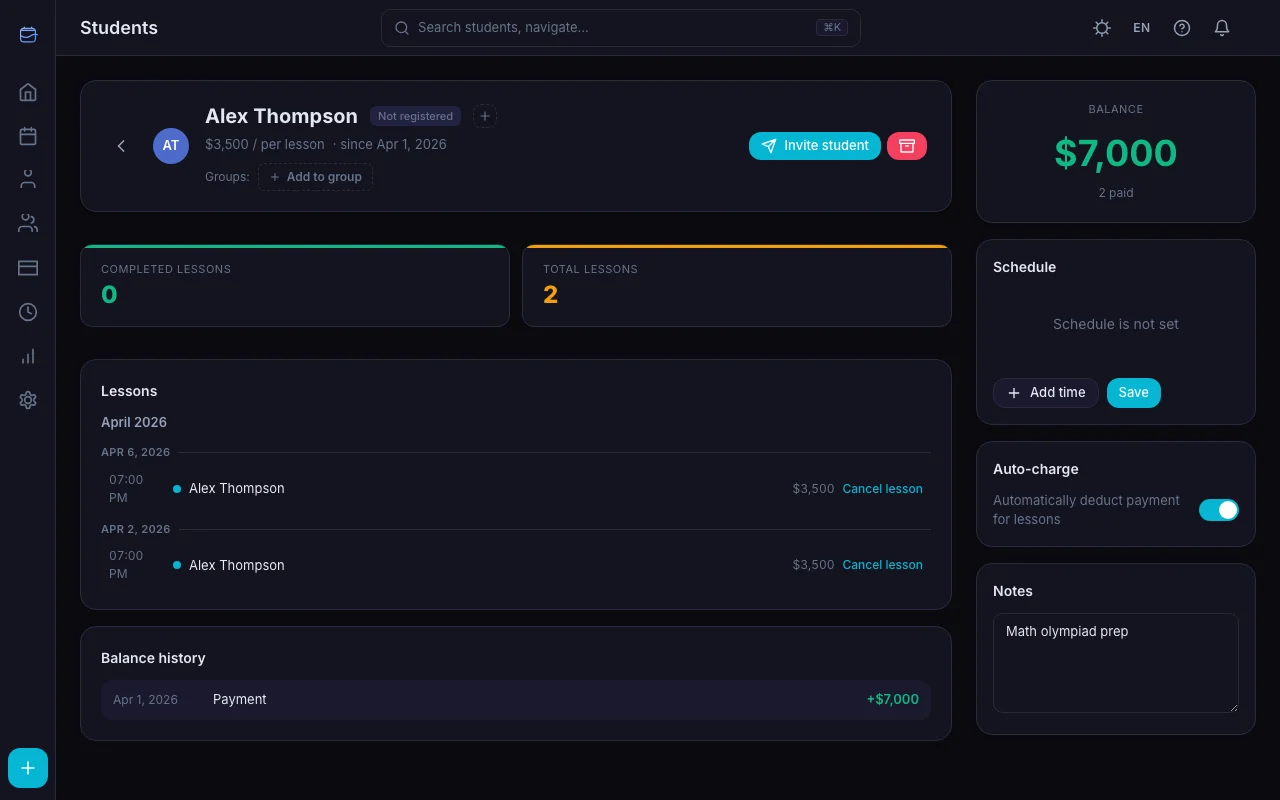
You can also enable it when creating a new student — it's in the student creation form.
Setting the Lesson Price
Auto-charge deducts the lesson price you set for each student. To configure it:
- Open the student profile
- Set the Lesson price field (e.g., $30)
Currency is set once in your account settings and applies to all students (16 currencies supported).
For group lessons, the price is set at the group level and applies to all members.
If no price is set, auto-charge still works but deducts $0 (or whatever currency equivalent) — effectively logging the lesson without a charge.
Adding Balance
Before auto-charge can deduct, the student needs a balance. Here's how to add it:
- Open the student → Balance section
- Click Add payment
- Enter the amount
- Click Save
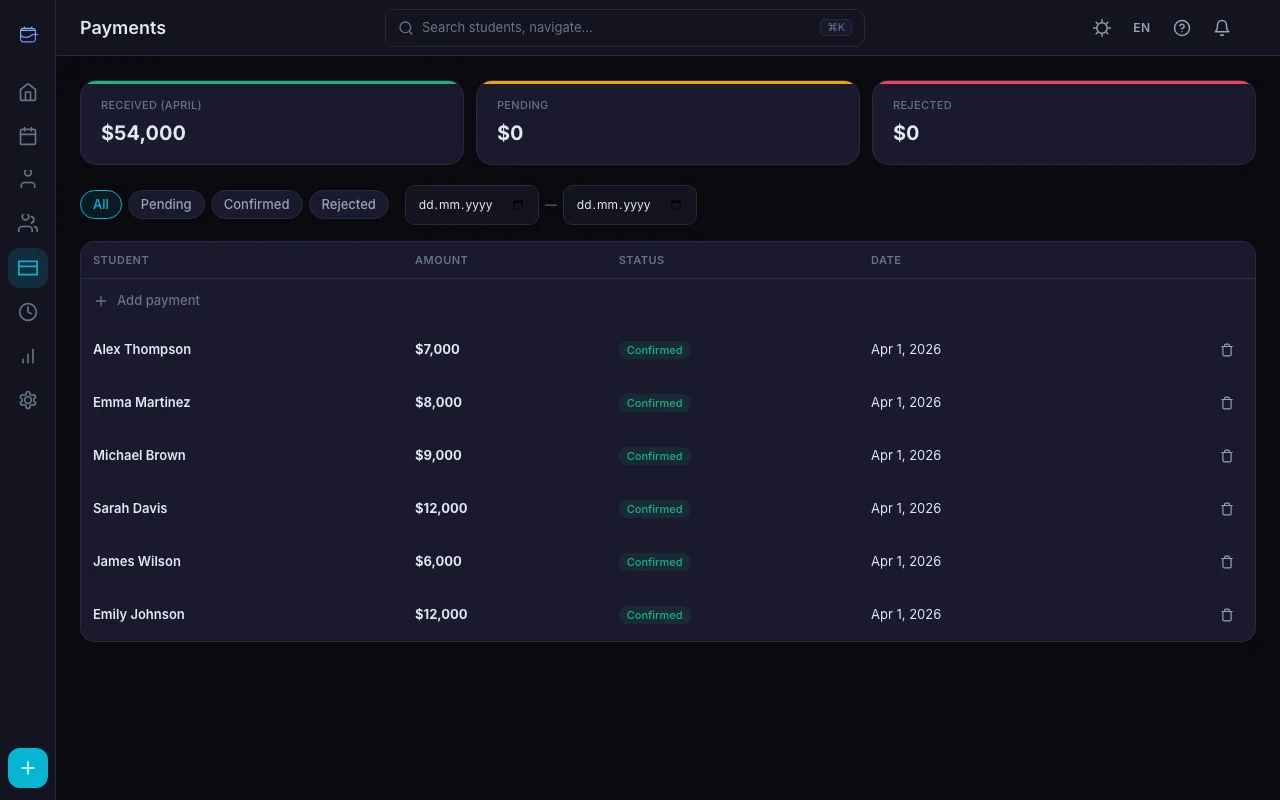
The payment appears in the balance history. The balance updates immediately.
Students can also see their current balance and payment history in their Student Portal.
What Happens When Balance Goes Negative
TeachersFlow doesn't block lessons when balance hits zero. Instead:
- Lessons continue as scheduled
- Balance goes negative (e.g., -$30)
- You receive a low balance notification, the student gets a payment request
- Negative balance is highlighted in the student list and in the student portal
For postpaid students, negative balance is normal: lessons happen, debt accumulates, then it's paid off. For prepaid students, negative balance means the student forgot to top up — you'll get a notification, and the student will receive a payment request.
Balance History
Every balance change is logged with:
| Field | Example |
|---|---|
| Date | 2026-07-07 |
| Type | Lesson / Payment / Lesson cancellation / Manual adjustment |
| Amount | -$30 / +$120 |
This gives you a complete audit trail — you (and the student) can always see exactly where the money went.
Manual Overrides
Auto-charge doesn't lock you in. You can always:
- Manually adjust the balance — add a correction entry (positive or negative)
- Charge a cancelled lesson — when cancelling, choose whether to still deduct the fee
- Disable auto-charge temporarily — turn it off, handle a few lessons manually, turn it back on
- Change the lesson price — only future lessons are affected; past charges stay as they were. Thinking of raising your prices? See How to Raise Your Tutoring Rates Without Losing Students.
Auto-Charge + Groups
For group lessons, auto-charge works per member:
- Each student in the group has their own balance
- When a group lesson completes, each member's balance is deducted by the group lesson price
Common Scenarios
Student pays monthly. Add $120 at the start of the month. With 4 weekly lessons at $30 each, auto-charge deducts $30 per week. By month end, balance is $0. Student pays again.
Student pays per lesson. Add $30 before each lesson. Auto-charge deducts $30 after. Balance always hovers around $0.
Student pays for a package. Add $500 for 20 lessons. Auto-charge deducts per lesson. You (and the student) can track how many lessons remain by looking at the balance.
Postpaid student. Balance goes negative as lessons happen — this is normal. When the student pays, the balance returns to zero or positive.
Student forgets to pay. Balance goes negative. You receive a low balance notification, the student gets a payment request. No need to remind manually — the system handles it.
Why Not Just Send Invoices?
Invoicing works for some tutors, but it creates extra work:
- You have to create each invoice
- You have to track whether it was paid
- Students have to open emails, click links, enter payment info
- Late payments pile up
With auto-charge, the balance is tracked automatically — with prepaid, money is already there; with postpaid, the debt is recorded automatically. No manual work — the system tracks everything.
Get Started
Open TeachersFlow, enable auto-charge for your students, set lesson prices, and stop tracking payments manually.
14 days of full Pro access — no card required.