

Scheduling seems simple until it isn't. A missed lesson here, a double booking there, and suddenly you're spending more time managing your calendar than teaching. Here are five scheduling mistakes most tutors make — and how to avoid them.
1. No Buffer Time Between Lessons
The mistake: Booking lessons back to back with zero gaps. Your 3 PM lesson runs 5 minutes over, and your 4 PM student is already waiting. You start every lesson stressed and slightly behind.
The real cost:
- Chronic lateness erodes trust
- No time for notes, preparation, or bathroom breaks
- Mental fatigue compounds through the day
- One overrun cascades into every subsequent lesson
The fix: Build 10–15 minute buffers between lessons. If you teach 60-minute lessons, schedule them at :00 and :15 (e.g., 3:00–4:00, 4:15–5:15). This gives you breathing room for overruns, notes, and mental reset.
In TeachersFlow, simply set your recurring slots with the buffer built in. The system only schedules where you place slots — no automatic back-to-back filling.
2. Not Using Recurring Schedules
The mistake: Creating each lesson manually every week. Monday you create Tuesday's lessons. Tuesday you create Wednesday's. By Thursday you've forgotten someone.
The real cost: - 30 minutes to 1 hour per week of manual scheduling - Forgotten lessons lead to no-shows and confused students - No calendar overview until lessons are manually entered - Inconsistent scheduling causes trust issues
The fix: Set up recurring schedules once and let the system generate every future lesson. In TeachersFlow, go to each student's profile → Schedule → add their weekly slot. Done. Every week's lessons appear automatically.
If a student needs a change for one week, reschedule that single occurrence. The pattern continues unaffected.
3. No Cancellation Window
The mistake: Accepting cancellations at any time with no consequences. Students cancel 30 minutes before the lesson. You sit with an empty slot and lost income.
The real cost: - 10–15% of lessons cancelled without payment - $200–500/month in lost income - Unpredictable schedule makes it hard to plan your day - Students don't value the commitment
The fix: Establish a clear cancellation policy — 24 hours minimum notice — and learn to enforce it from Stop Losing Money on Lesson Cancellations. Communicate this from day one.
In TeachersFlow, when cancelling a lesson, you choose whether to charge the student's balance. Late cancellation → charge. Timely cancellation → no charge. The tool enforces your policy without awkward conversations.
4. Overcommitting Your Schedule
The mistake: Saying yes to every student request. "Can you do Saturday at 7 PM?" Sure. "Can we add a Wednesday morning?" Why not. Before you know it, you're teaching 7 days a week, 12 hours a day.
The real cost: - Burnout by month 3 - Quality drops as fatigue accumulates - No time for preparation, marketing, or personal life - When you eventually cut back, students feel rejected
The fix: Define your working hours before taking any students. For example: Monday–Friday, 2 PM–8 PM. That's 30 hours of teaching capacity. At 60-minute lessons with 15-minute buffers, that's about 24 lessons per week.
Decide your maximum and don't exceed it. If you're full, start a waitlist or raise prices — don't extend hours. For more on managing big practices, see How to Manage 30+ Students Without Chaos.
5. No Single Source of Truth
The mistake: Keeping some lessons in Google Calendar, some in a notebook, some in your head, and some in WhatsApp messages. When a conflict arises, you check three places and still aren't sure.
The real cost: - Double bookings (the #1 scheduling nightmare) - Missed lessons because they were only in one system - Time wasted cross-referencing multiple sources - Stress from never being 100% sure about your schedule
The fix: Use one scheduling tool for everything. Every lesson — recurring, one-off, group, individual — goes into the same system. When you look at your calendar, you see the complete picture.
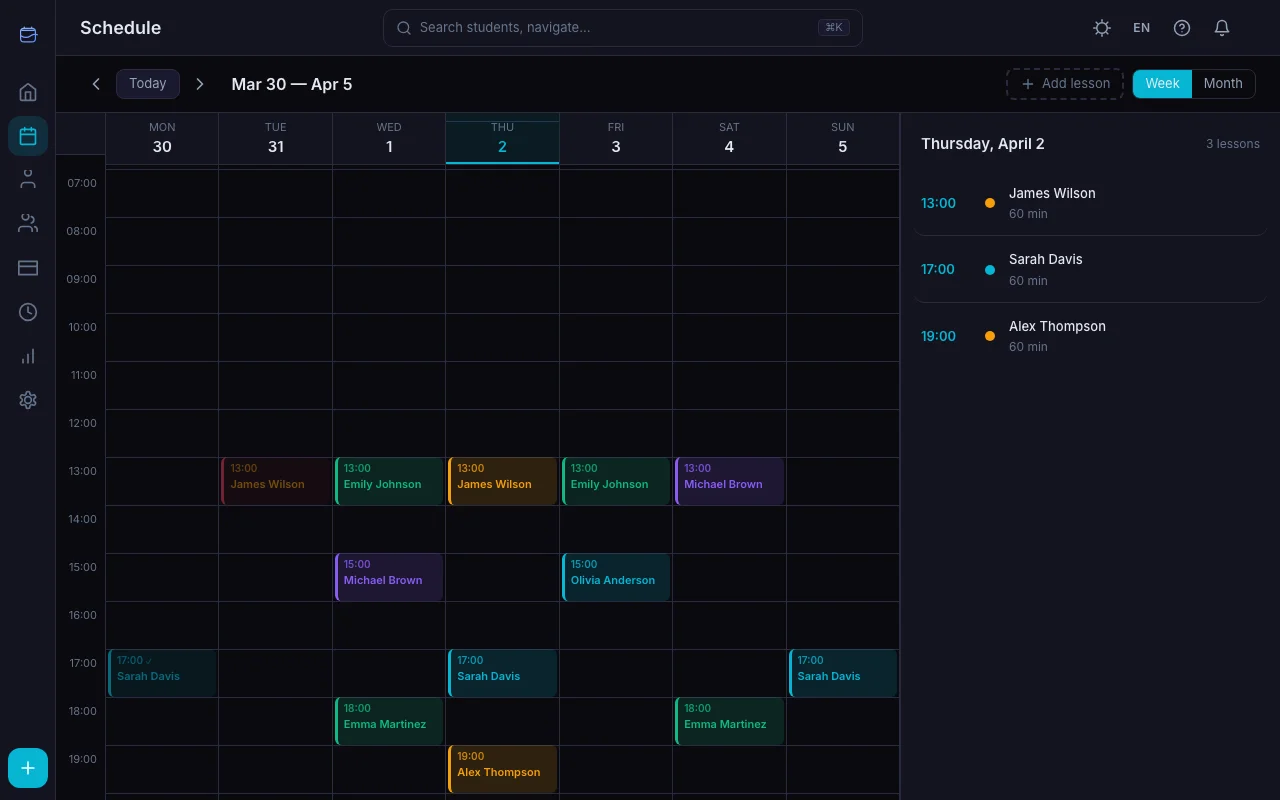
In TeachersFlow, your calendar shows all lesson types in one view. Recurring, manual, individual, group — everything in one place. If it's not in TeachersFlow, it doesn't exist.
Bonus: Not Reviewing Your Schedule Weekly
It's not exactly a mistake, but most tutors never step back and look at their schedule as a whole. A 5-minute weekly review answers important questions:
- Are there empty gaps that could fit another student?
- Is any day overloaded while others are light?
- Are cancellation patterns emerging?
- Am I teaching too many hours?
In TeachersFlow, the week view shows your entire schedule at a glance. The Stats tab shows lesson distribution by weekday. Use both for a quick Monday morning check.
Fix Your Schedule
TeachersFlow eliminates these mistakes with recurring schedules, buffer management, cancellation controls, and a single calendar for everything. Set it up once and stop fighting your schedule.
14 days of full Pro access — no card required.