

You became a tutor to teach, not to manage spreadsheets. But somehow, admin tasks eat up hours every week — updating schedules, tracking payments, sending reminders, answering the same questions.
Most of this can be automated. Here are five things you're probably doing manually that don't need your time anymore.
1. Recurring Schedules
The manual way: Create a recurring event in Google Calendar for each student. When someone changes their schedule — delete the old series and create a new one. Cancel a lesson — delete a single event. After a few months with 15 students, the calendar is a mess and there's no record of completed lessons.
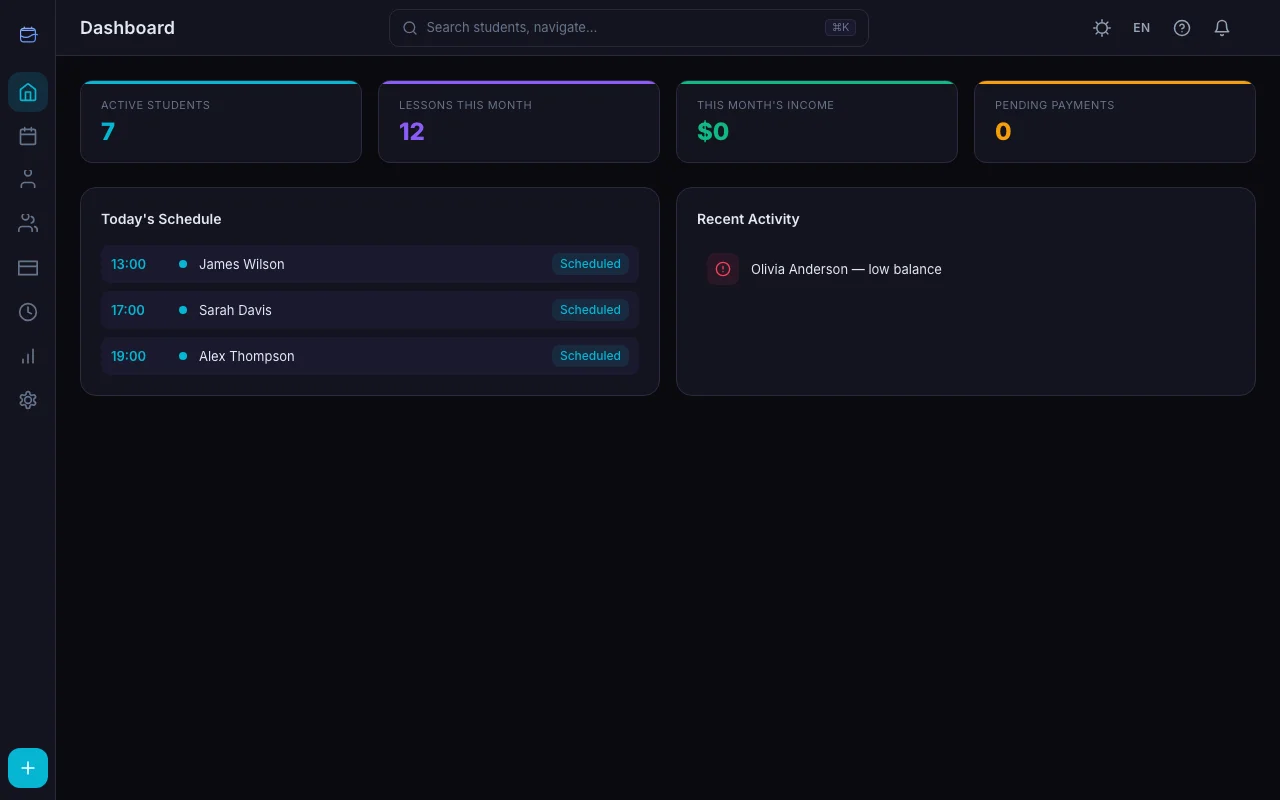
The automated way: Set weekly time slots for each student once. The calendar fills itself — every week, automatically. If a student is on vacation, skip that specific lesson. The rest keeps running.
In TeachersFlow, this is the Schedule Editor. Add slots (day, time, duration) per student or group — see Recurring Lessons Setup for full mechanics. Planned lessons generate automatically. You just cancel or reschedule lessons as the week progresses.
Time saved: 15–30 minutes per week.
2. Payment Tracking
The manual way: After each lesson, open a spreadsheet. Find the student's row. Subtract the lesson price. Check if the balance is negative. Copy to a "needs payment" list. Forget to update it next session.
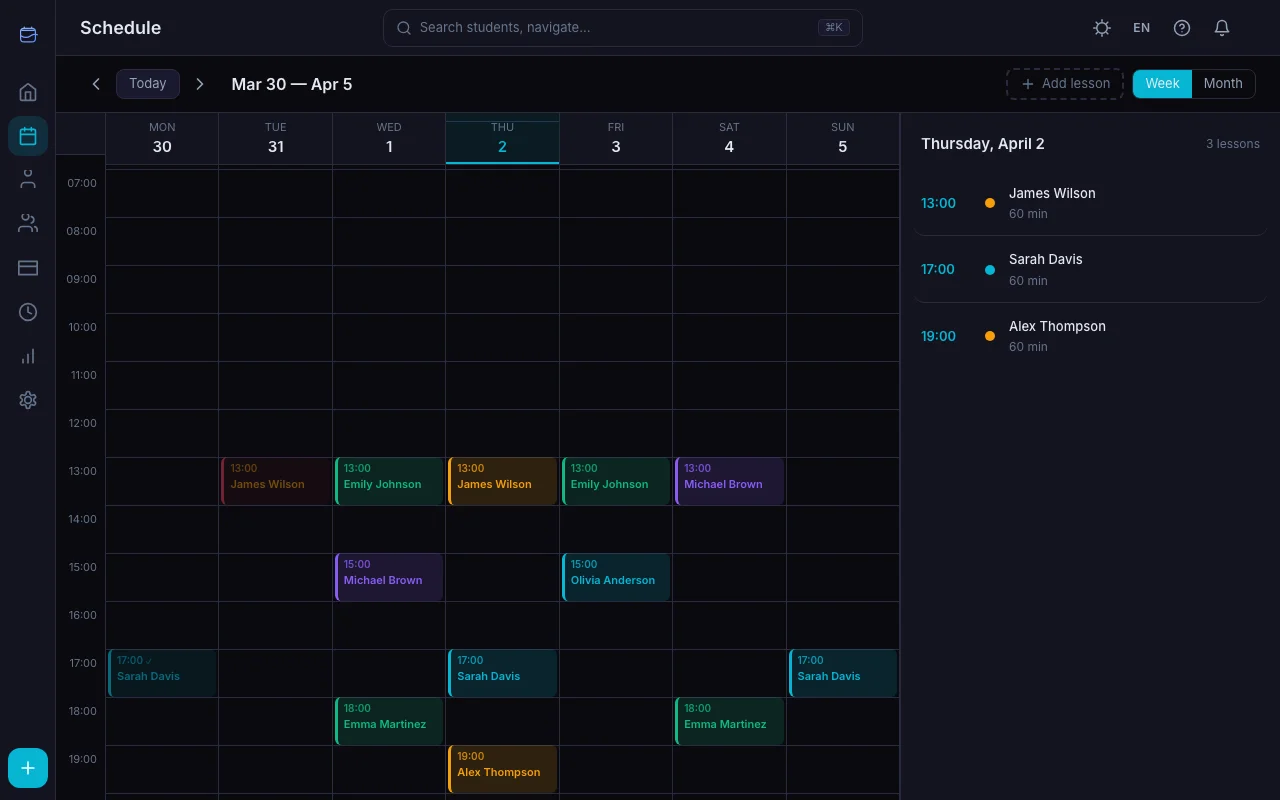
The automated way: Enable auto-charge. After each completed lesson, the student's balance decreases automatically. No manual entry. The balance is always current.
When a student pays, record the payment in one click — the balance updates instantly. Or let students submit payments through their portal, and you just confirm.
Time saved: 20–45 minutes per week (more with 10+ students).
3. Lesson Reminders
The manual way: Day before each lesson, send a message: "Hi, just a reminder about tomorrow at 3 PM." Repeat for every student. Every day. Forever.
The automated way: Automated notifications handle this. Students get lesson reminders via email and in-app notifications — without you lifting a finger.
Payment reminders work the same way. When a student's balance runs low, the system can flag it.
Time saved: 10–20 minutes per day.
4. Answering Student Questions
The manual way: - "When is my next lesson?" → Check calendar, type answer. - "How much do I owe?" → Open spreadsheet, calculate, reply. - "Did my payment go through?" → Check records, confirm.
Over and over and over.
The automated way: Invite students to their portal. They see: - Their lesson calendar - Current balance and payment history - Upcoming lessons and past sessions - Payment submission form
Most questions disappear because students can find answers themselves.
Time saved: 5–15 minutes per day of interruptions.
5. Income Reports
The manual way: End of month. Open the spreadsheet. Count lessons per student. Multiply by rates. Account for cancellations. Try to reconcile with bank statements. Spend an hour and still feel unsure.
The automated way: Open the dashboard. Monthly income is right there — total earned, total expected from upcoming lessons, cancellation rate, year-over-year comparison. No counting, no formulas.
Time saved: 1–2 hours per month.
The Compound Effect
None of these individually feels huge. But add them up:
| Task | Weekly Time Saved |
|---|---|
| Recurring schedules | 15–30 min |
| Payment tracking | 20–45 min |
| Lesson reminders | 50–100 min |
| Answering questions | 25–75 min |
| Monthly reports | 15–30 min (amortized) |
| Total | 2–4.5 hours per week |
That's 8–18 hours per month of pure admin work eliminated. At any reasonable hourly rate, the math is obvious.
What You Don't Need
You don't need: - A virtual assistant ($200+/month) - A bookkeeper ($300+/month) - Five different apps duct-taped together - A custom solution built by a developer
You need one tool that understands the tutoring workflow.
Getting Started
TeachersFlow automates all five areas above. Add your students, set their schedules, enable auto-charge — and watch your admin time shrink dramatically.
Free plan for up to 5 students. Starter from $4/month. Pro $8/month for unlimited everything.
14 days of full Pro access — no card required.